
Article · Utility
The Invisible Mac
Six small Mac utilities that quietly handle everyday annoyances, become part of your habits, and make your personal computer feel more like yours.

Utilities
by Ryan Hanson
Caps Lock takes up a generous amount of keyboard space for something many of us rarely use. Hyperkey gives it another purpose. It turns the key into Command, Control, Option and Shift pressed together, opening up room for your own shortcuts. A small, free macOS utility by Ryan Hanson that makes an existing key more useful.
Caps Lock takes up a generous amount of keyboard space for something many of us rarely use. Hyperkey gives it another purpose. It turns the key into Command, Control, Option and Shift pressed together, opening up room for your own shortcuts. A small, free macOS utility by Ryan Hanson that makes an existing key more useful.
At a glance
Assessment
Further reading
Article · Utility
Six small Mac utilities that quietly handle everyday annoyances, become part of your habits, and make your personal computer feel more like yours.
Keep exploring
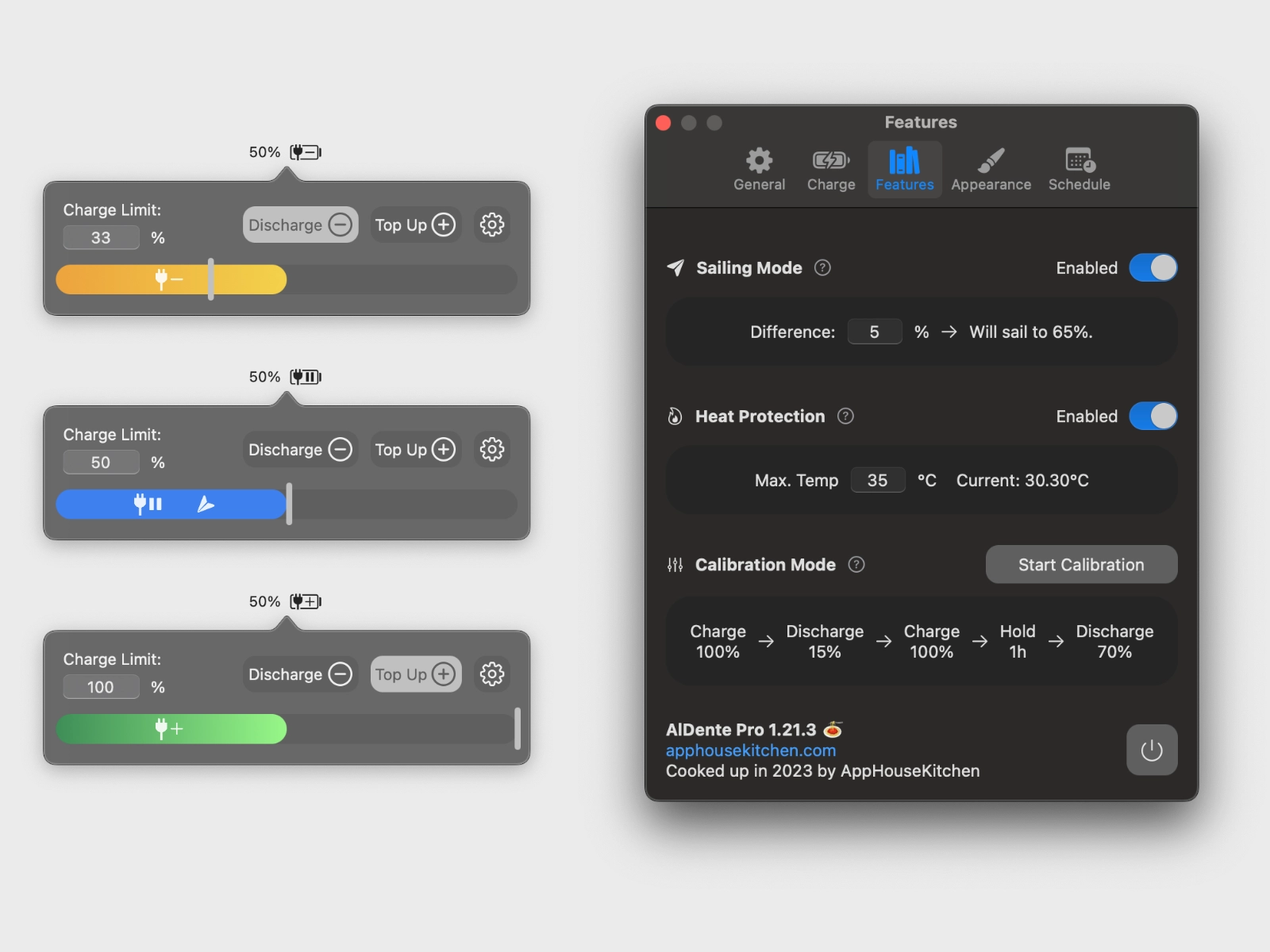

A MacBook connected to a monitor can spend most of its life plugged in. AlDente lets you decide how much charge it should hold while it sits there. Set a battery percentage, and charging stops at that limit. The free version covers this central task, while Pro adds temperature protection, charging ranges and battery statistics. A small utility for looking after the hardware you already own.
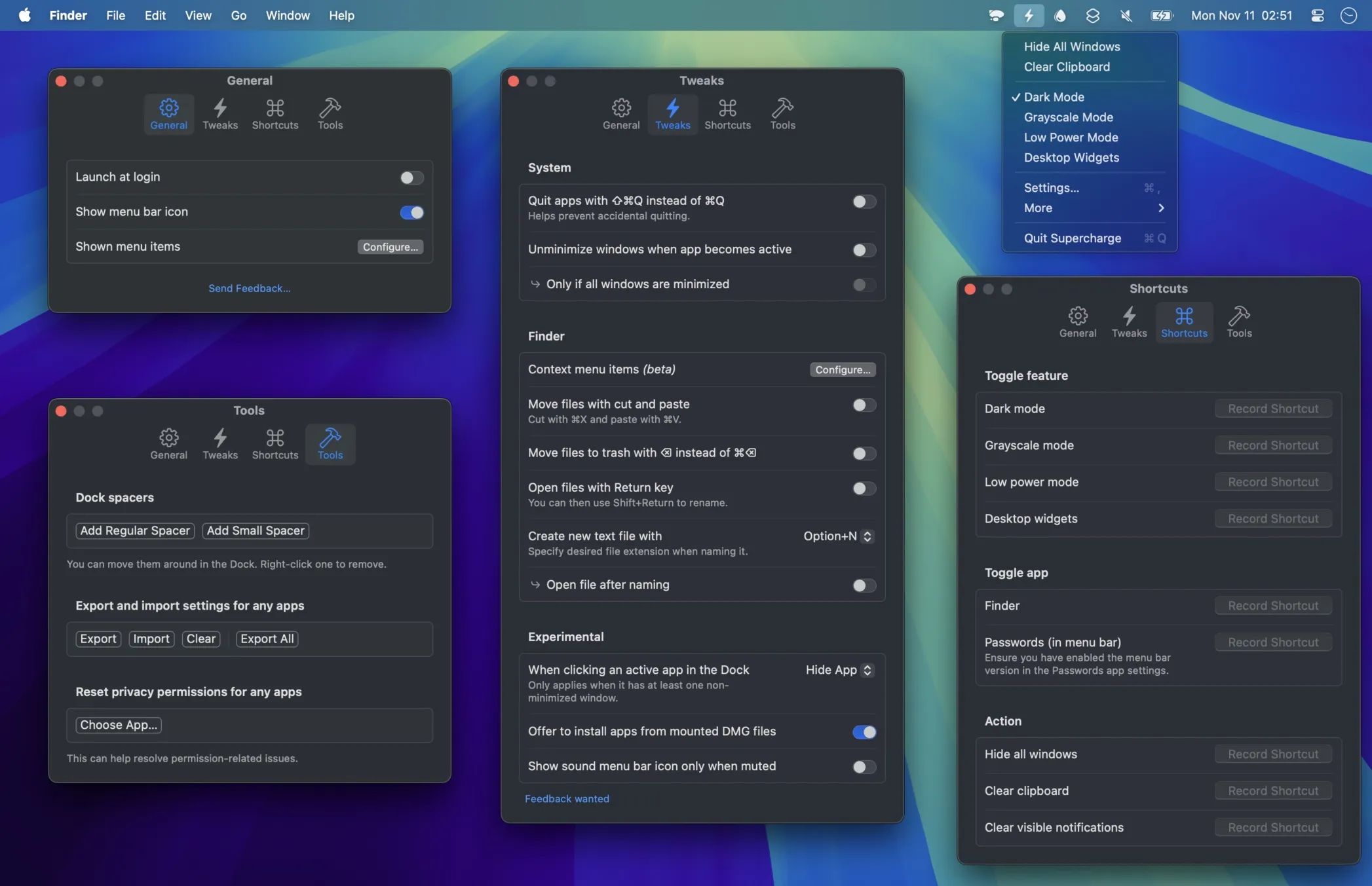

Clicking the green window button when you only wanted a larger window. Opening Finder to create a file and finding no obvious way to do it. Supercharge collects these small macOS frustrations and gives you ways around them. Sindre Sorhus’s utility adds practical adjustments to Finder, the Dock, Mission Control and more. Every feature is opt-in. You decide which habits your Mac should accommodate.
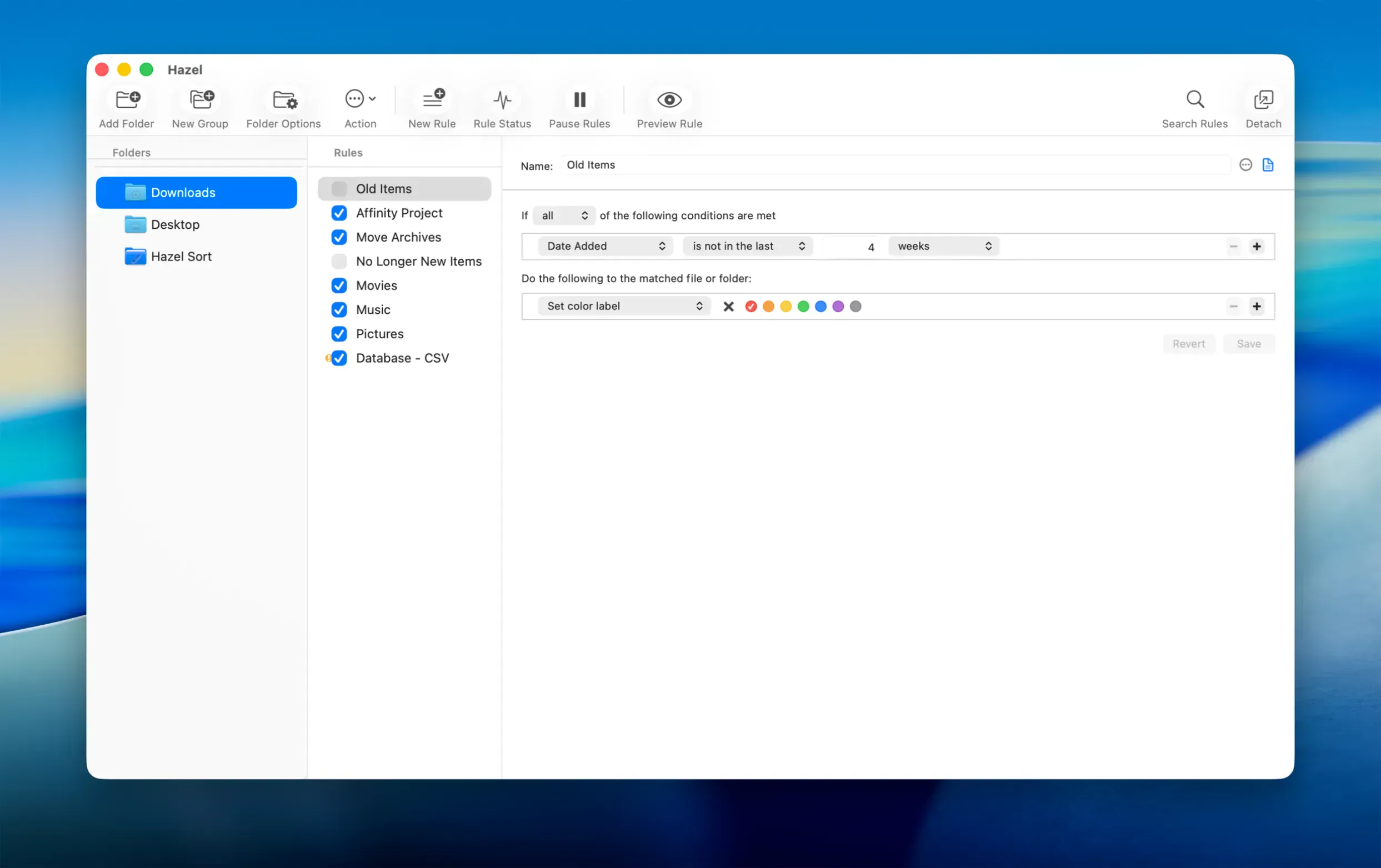

A powerful file automation tool for macOS that quietly keeps your folders organized.
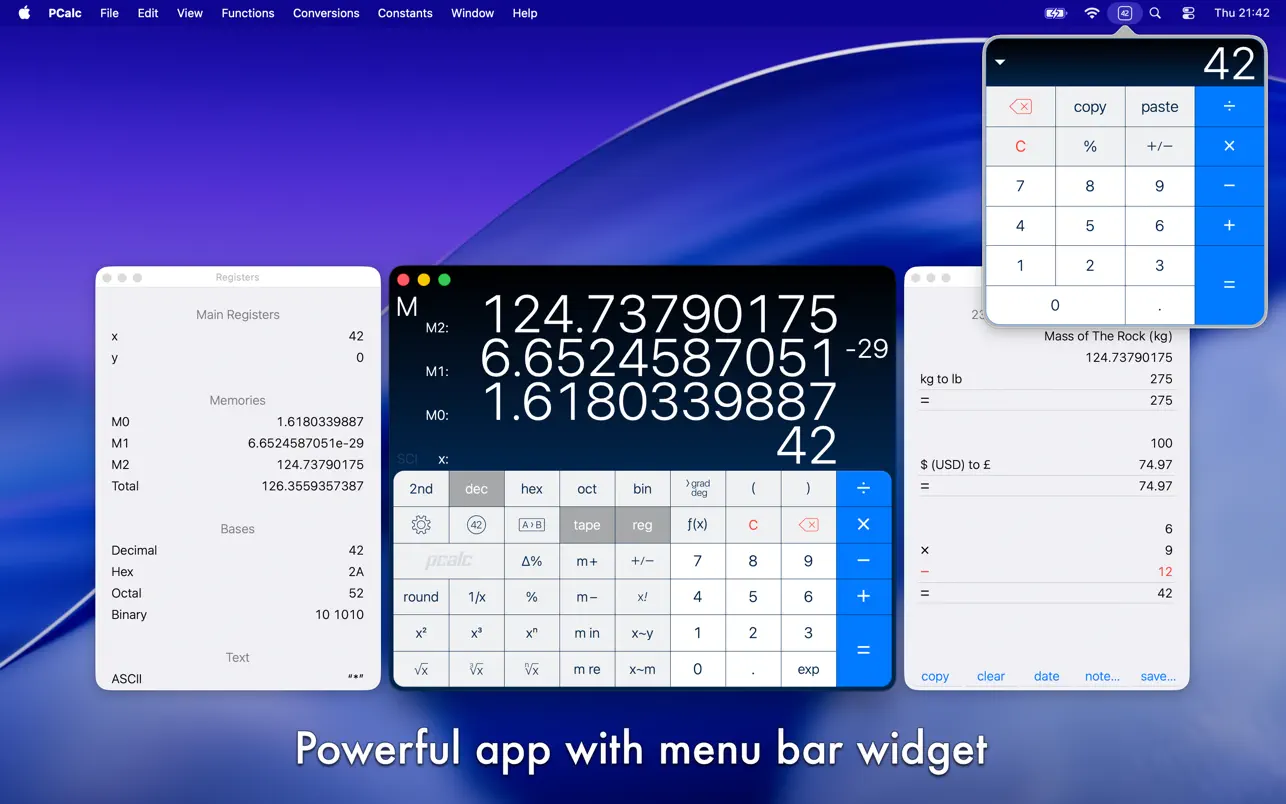

PCalc is one of the best, strongest and most customisable calculators for macOS, iPadOS and iOS. You can adjust your calculator to fit your personal needs. It offers everything you need, including engineering and scientific notation, multi line and a practical menu bar app.